Practical Strategies for Staying Confident and Connected
Vision changes can create some unexpected challenges at work, especially when you’re over 55. I remember the worry I felt noticing my vision getting blurrier on the job and wondering how it might affect my daily work and confidence. Navigating the workplace with low vision isn’t always easy, but it absolutely can get better with practical changes, resources, and a willingness to speak up for what you need. Here, I want to share real tips and ideas that helped me manage work after my own vision changed while helping others track down useful information along their own road, too.
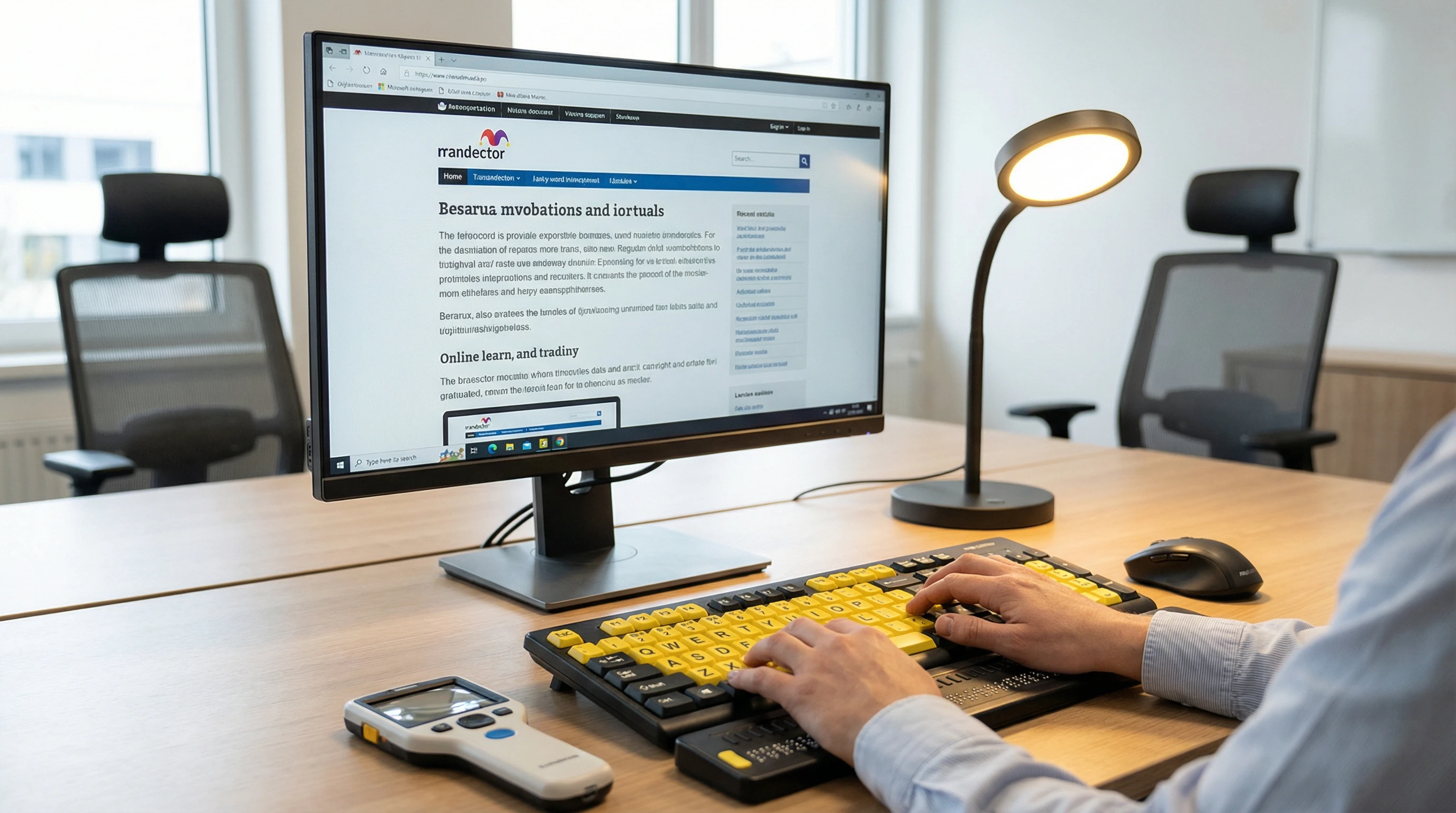 Large-print keyboards and high-contrast keys can make everyday computer tasks easier and reduce visual strain in the workplace.
🦯 Understanding Vision Changes
I started noticing differences in my vision in my late 50s. Reading small print was exhausting, and commuting home after dark got tough. Age-related vision loss is really common, so you aren’t alone if you’re noticing changes too. Some people develop cataracts, macular degeneration, or diabetic eye disease. Even mild vision loss can impact your job, whether you’re working with spreadsheets or greeting customers, and it’s worth taking the time to get a sense of what’s happening for you.
Common age-related vision conditions include:
- Presbyopia: Makes it harder to see things up close. I found myself holding printed reports at arm’s length more often.
- Cataracts: Cloud the eye’s lens, often causing blurry or dim vision, especially in bright light or at night.
- Macular degeneration: Affects your central vision. I noticed I needed brighter light at my desk.
- Glaucoma and diabetic retinopathy: Can reduce peripheral (side) vision or cause blind spots.
Learning what’s going on with your vision can help you explain your needs, and your rights, to your employer. Many workplaces want to support longtime employees, so being open about changes often leads to more understanding and helpful adjustments. If you’re unsure, check in with your doctor or a vision specialist to figure out what you might need. They can back you up with documentation if you decide to make a request at work. It’s also comforting to note that vision loss is part of the normal aging process for many, making this a subject nearly everyone will need to think on at some point.
🖥️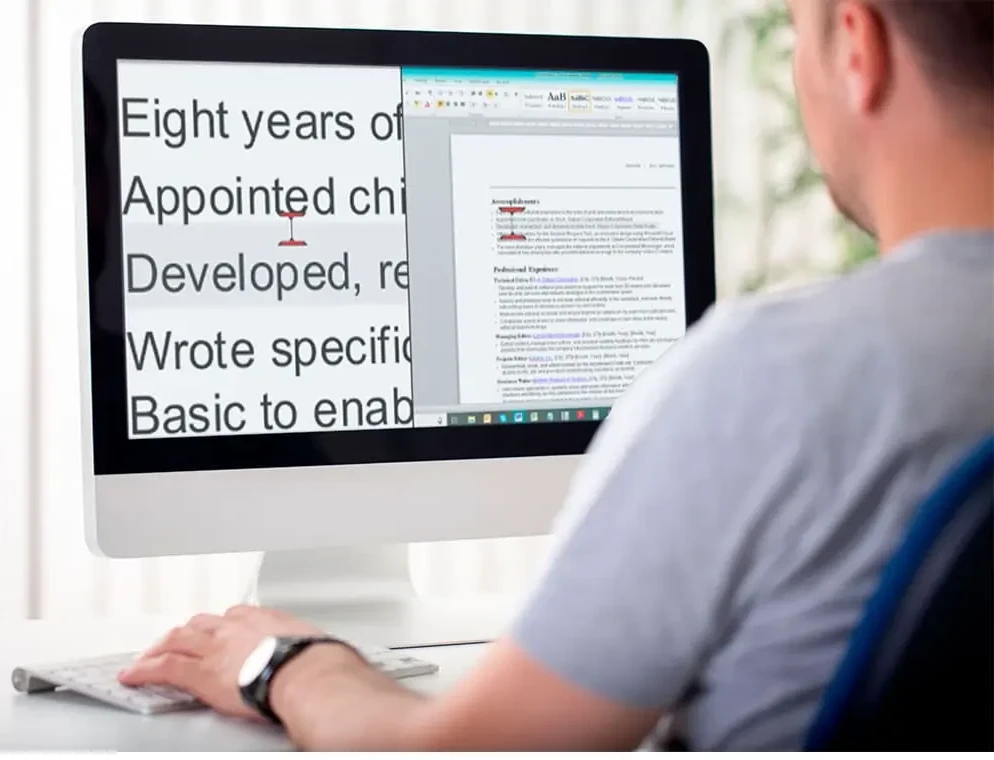 Screen magnification tools can make on-screen text easier to read, helping people with vision impairment stay productive and confident at work.
Adapting your workspace can make a big difference. When my eyesight first changed, I thought I would need to give up certain tasks, but today there are lots of helpful tools I use daily. I quickly learned that asking about these options made work a lot smoother. Sometimes, all it takes is finding what works best for you—and not every solution is high-tech.
- Screen magnifiers: I installed ZoomText, a screen magnifier on my computer, which let me zoom in on bits of text without losing my place. I now use the magnifier built into my Windows operating system. And, it’s included at noadditional cost. But, if you are curious about ZoomText, several versions are available on Amazon.
- Screen readers: Software like JAWS or NVDA reads text on the screen out loud. This really helped during long email sessions or meetings with lots of slides. My favoorite is JAWS and Beyond: A Beginner-to-Pro Guide . It is available on from Amazon.
- Largeprint keyboards and labels: Switching to a keyboard with bold, oversized letters and labeling essentials like the phone or copier with tactile dots made a real difference.
- Task lighting: A small, bright desk lamp reduced strain when I needed to read paper files.
- Mobile apps: Using my smartphone’s built-in voice assistant and text magnifier turned out to be a lifesaver when I was away from my desk.
Many companies even offer access to accessibility experts or tech support to walk you through setting up this equipment. Bringing these suggestions to HR showed I was invested in staying productive and independent. Don’t hesitate to ask for a demonstration or training—sometimes a quick lesson is all it takes to get comfortable with your tools.
🔑 Disclosing Vision Impairment at Work: Your Rights and Options
When my vision changed, I felt some anxiety about telling my manager. It’s a personal decision whether to share details about your vision, but there are benefits to being open. Depending on where you work and live, you may have protections under regulations like the Americans with Disabilities Act (ADA) in the US or the Equality Act in the UK. These laws typically mean you can ask for what are called “reasonable accommodations” so you can keep doing your job effectively.
 Having an open, private conversation with a manager or HR representative can be an important step when discussing workplace needs or accommodations.
Some steps I found helpful when discussing vision needs at work:
- I wrote down how my vision changes were affecting my regular duties.
- I researched possible solutions like screenmagnifying software or changes in lighting.
- I scheduled a quiet conversation with my manager to talk about my needs, rather than waiting for a crisis.
If you’re not comfortable talking directly to your boss, Human Resources is often a helpful place to start. Many HR departments have experience making accessibility plans and can help keep everything confidential. You can also ask an employee resource group for advice or look up national blindness organizations with workplace resources. Sometimes, just knowing your rights or seeing what’s worked for others makes the whole process a little less intimidating.
🛠️ Everyday Strategies I Use in the Office
Small changes to routines and workspace made a much bigger impact than I first expected. Here are a few tips I learned to keep my day running smoothly:
- Color contrast: Dark pens on bright paper, or yellow sticky notes on a dark folder, really made things pop for me.
- Regular breaks: Giving my eyes a quick break from screens, even just for a minute, helped reduce fatigue and gave my focus a reset.
- Organizational tools: I used voice memos and reminders on my phone so I wouldn’t miss meetings or deadlines.
- Accessible meetings: Asking for digital copies of agendas meant I could use my own screenreading tools instead of struggling to read printed handouts.
- Clear pathways: At my desk and in shared spaces, keeping pathways clear of obstacles became really important, not just for me but for everyone in the office.
These little habits helped me feel more in control and helped colleagues understand what makes a space comfortable for everyone. It’s surprising how a few tweaks—like keeping clutter off the floor or using bold labels—ended up helping more people than just myself. Feeling organized brought a new sense of confidence each day.
👥 Building Support and Teamwork
Having open lines of communication made a big difference for me. I started by talking to colleagues I felt comfortable with. Once I shared about my new magnifier or largeprint keyboard, I noticed people were genuinely curious and wanted to know how they could help.
 Open conversations and supportive teamwork can make the workplace more inclusive and comfortable for everyone.
Ways to build a supportive environment:
- Invite a conversation: You might be surprised how many people want to learn about accessibility or are dealing with their own health changes.
- Share tips: Swapping ideas with coworkers who have other disabilities got me thinking about creative solutions I hadn’t considered.
- Join employee resource groups: Some companies have groups for people with disabilities or older employees. These groups often share fantastic resources and ways to stand behind your rights.
After a while, the more I shared, the more coworkers also opened up about their own challenges, which made everyone more connected. Even casual conversations in the lunchroom usually opened new doors to advice and support, and sometimes people even brought up tools that became my new favorites at work.
📈 Career Growth and Staying Motivated
I remember wondering if vision changes would limit what I could achieve at work. The truth is, adapting to these changes became a reason to grow new skills and learn about tech I hadn’t tried before. Staying motivated got easier as I saw what I could still accomplish with the right help. Don’t let self-doubt hold you back; track down local organizations and online courses tailored for accessibility and workplace skills. Sometimes, learning to use a new screen reader can help you stand out among colleagues—and learning something new is always uplifting.
Some things that kept me moving forward:
- Taking classes on new technologies, both in person and online
- Setting smaller, realistic goals and celebrating wins, even if it was just learning to use a new app
- Mentoring others: Sharing my experience with younger employees gave me a new sense of purpose at work.
- Exploring flexible work arrangements, such as remote work or adjusted hours, so I could keep contributing even when appointments or travel got tricky
Looking back, I’m glad I didn’t shy away from promotions or projects just because things took a bit longer. Reframing challenges as opportunities has been a useful motivator. I also regularly checked in with mentors, trusted coworkers, and my HR representative for advice along the way.
❓ Frequently Asked Questions
Can I ask for changes to my workspace if my vision gets worse?
Answer: Yes, you can. Most employers are open to reasonable adjustments. It helps to suggest specific things that might help, like software or different lighting. If you’re not sure where to start, ask HR or check in with others who’ve been in your shoes.
What if using new technology at work feels overwhelming?
Answer: You’re not alone there. I felt anxious learning new tools too. Most companies offer training, and sometimes local blindness organizations can help you practice with new tech until it feels more natural. Don’t be afraid to ask for extra help or a slower introduction—your comfort matters.
How do I keep up with job changes if my vision continues to decline?
Answer: Keeping an open conversation with your manager gives you more flexibility to adapt. Updating skills, asking for training, and reaching out to vocational rehab services can also give you extra backup. Staying proactive is key, and there are national programs specifically designed to support people through workplace adjustment.
🌟 Staying Positive About Work with Vision Impairment
Getting used to vision changes isn’t always quick, but I found that reaching out for solutions and being honest about what I needed made all the difference. It’s really important to remember that your experience matters and the knowledge you’ve built in your career still counts for a lot. There are so many ways to seek support—by talking with HR, joining an employee group, or using community resources. Taking advantage of every available tool or connection has helped me handle each new situation.
With the right adjustments and a supportive environment, it’s absolutely possible to feel confident, effective, and valued in your workplace at 55 and beyond. Whether you’re switching up your workspace, learning new tech, or connecting with colleagues, every step adds to your independence and peace of mind. You can face the future at work with optimism and continue making a strong impact.