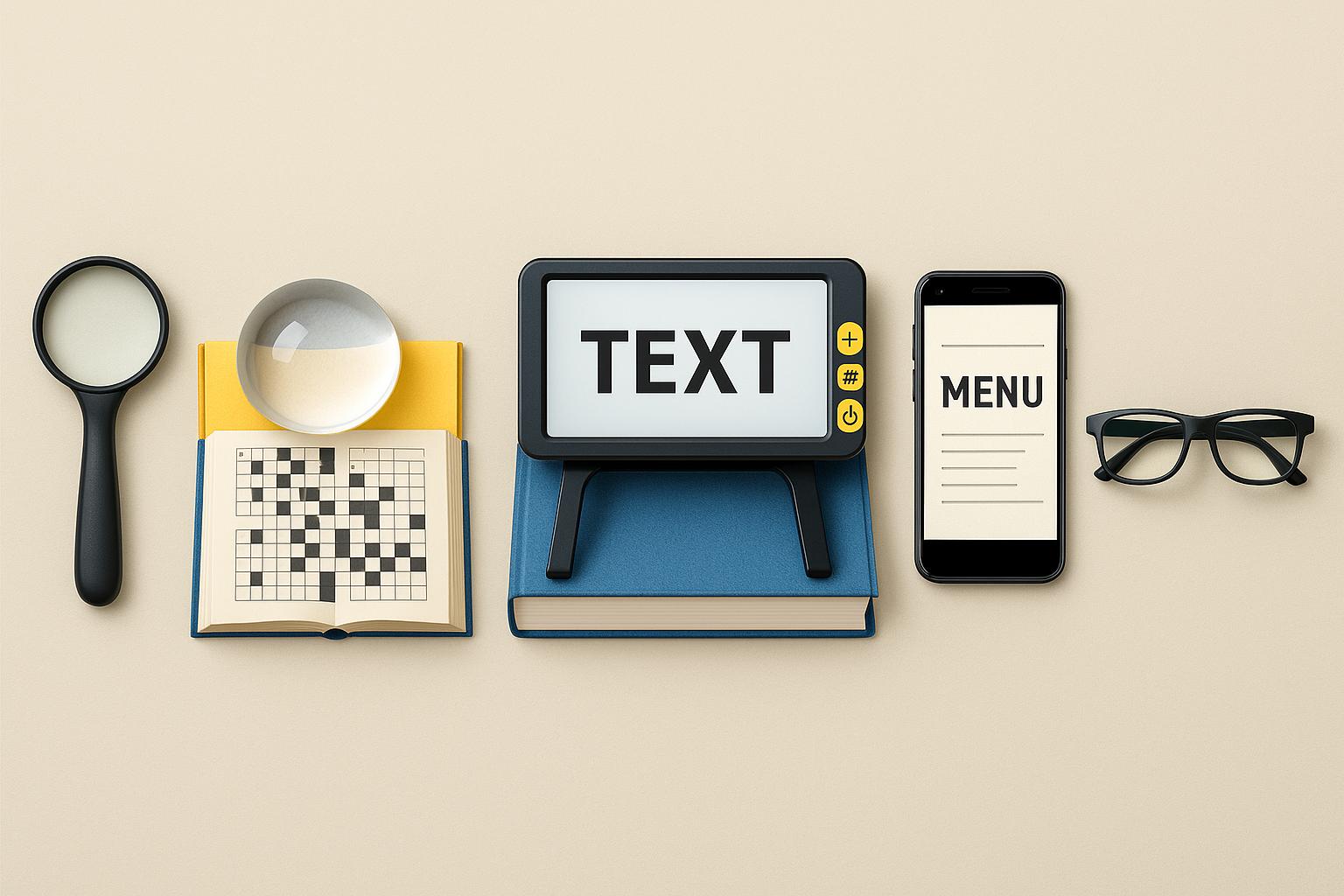
Exploring the tools that make everyday reading and tasks easier
Magnification for the visually impaired isn’t just about making things bigger—it’s about making everyday tasks more accessible, comfortable, and manageable. Whether you’re checking a label, reading the mail, or navigating your phone, the right magnifier can make a world of difference.
And here’s what quickly becomes clear: no single magnifier works for everything. A device that’s perfect for reading a price tag may be useless for reading a book. A magnifier that helps you in the kitchen might not help at your desk. Different tasks ask for different tools.
What I’ve learned over the years is that magnification for the visually impaired is really about flexibility. It’s about understanding what each type of tool can (and cannot) do, and then choosing the one that best fits what you need in that moment. This guide walks through the full range — optical, electronic, and digital — in a conversational, real-world way, with just enough structure to help you sort your options without feeling overwhelmed.
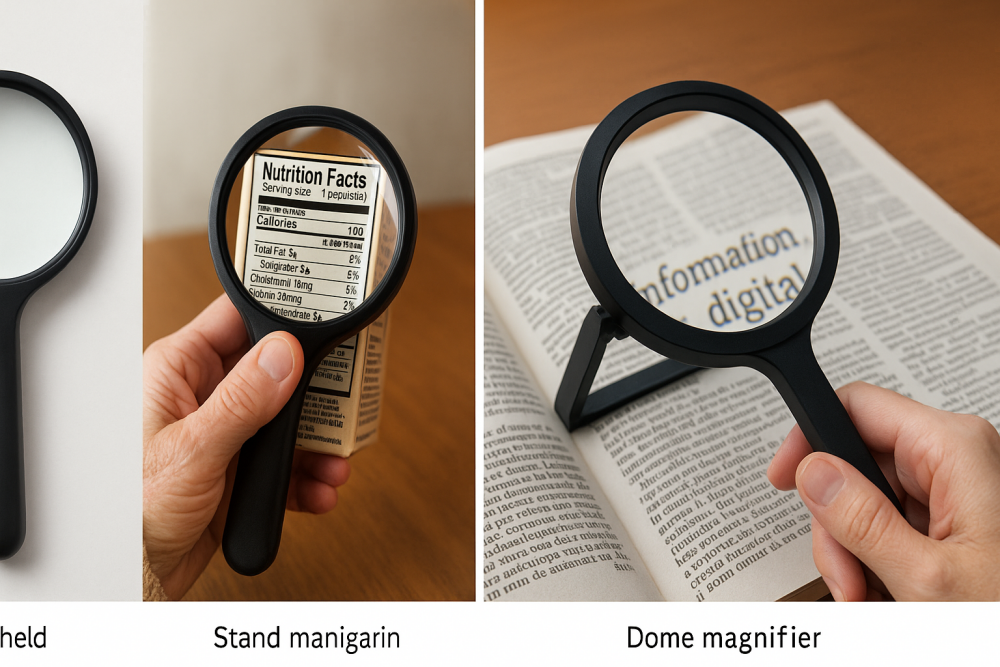 Examples of common optical magnifiers — handheld, stand, and dome styles — shown in both object view and real-life use.
🔍 Optical Magnifiers: The Everyday Helpers
Optical magnifiers are where many of us start. They’re simple, familiar, and don’t require any technical knowledge. You pick one up, put it over the text, and—when the lighting cooperates—things suddenly make more sense.
A Quick Look at the Main Types What makes these tools so practical is their simplicity. A handheld magnifier near the kitchen counter can solve a dozen little problems a day. A stand magnifier is great when you need stability—your hands can rest while the lens holds the focus. Dome magnifiers glide across text, making them surprisingly comfortable for forms or newspapers.
Key Features That Matter
- Lighting makes or breaks clarity.
A magnifier that seems “weak” may suddenly work beautifully under better light. - Higher magnification shrinks the field of view.
More power does not always mean easier reading. - Focal distance is fixed.
The lens has one “sweet spot,” and finding it makes all the difference.
When Optical Magnifiers Work Best
If you need something quick, affordable, and easy to keep within reach, optical magnifiers are a reliable starting point. They’re the small, everyday helpers — perfect for short tasks and simple reading needs.
👓 High-Power Reading Glasses: Hands-Free Clarity (At a Close Distance)
High-power reading glasses feel different from anything else in this guide. They’re not “just” strong reading glasses — they’re a low vision tool that lets you magnify without holding anything in your hands.
These glasses bring the world into focus at a very close range. It can feel unusual at first, but once you learn how close you need to hold things, it becomes a surprisingly smooth way to read, write, or work on tabletop tasks.
I think of these glasses as the “settle in” option. When you want to pay bills, read your mail, or work on a hobby without juggling a magnifier, high-power readers give you hands-free magnification that feels natural once you get used to it.
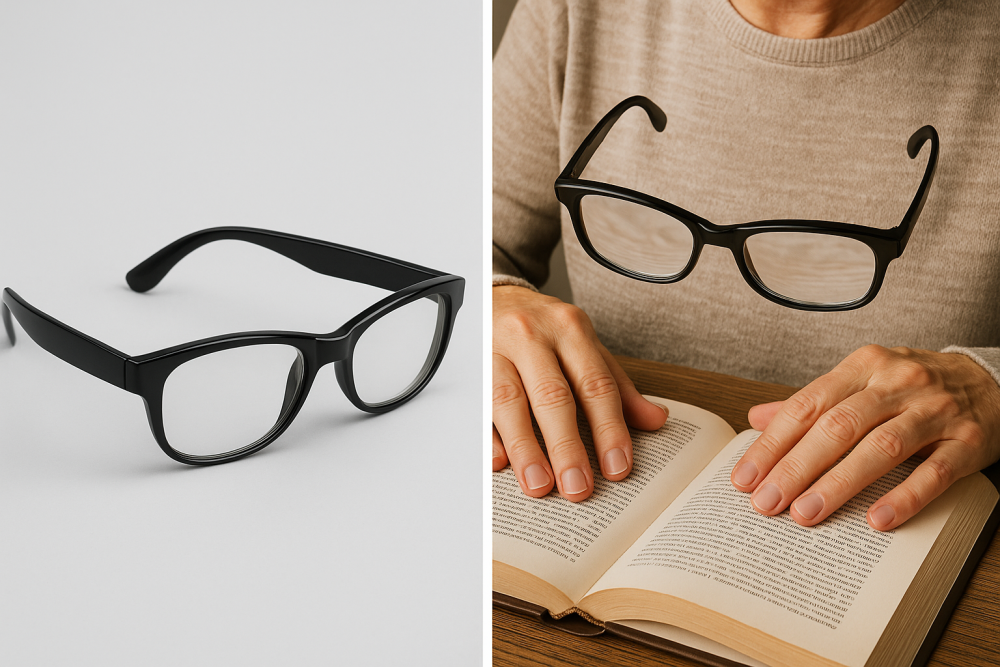 High-power reading glasses shown both as a standalone tool and in real-life use for hands-free close-up reading.
Key Features
- Hands-free reading for extended tasks
- Excellent clarity once you find the focal point
- Lightweight and comfortable when properly fitted
- Ideal for stationary tasks — writing, reading, crafts
Important Considerations
- They require training. A slight movement can throw the text out of focus until you learn the distance.
- Lighting is non-negotiable. Poor lighting = poor results.
- They aren’t all-purpose glasses. They’re task-specific, not everyday wear.
When They Shine
These glasses are incredibly helpful when you want freedom of movement without managing a device. They’re especially good for anyone who reads or writes frequently but doesn’t want a handheld magnifier in the way.
🔭 Telescopic & Tele-Microscopic Glasses: Seeing at a Distance or Working Comfortably Up Close
If optical magnifiers and high-power readers are the “up close and personal” tools, telescopic glasses are the exact opposite. These are designed to help you see farther away — the TV across the room, street signs, or the number of an approaching bus. They can also be adapted for near tasks when you need more space between you and what you’re looking at.
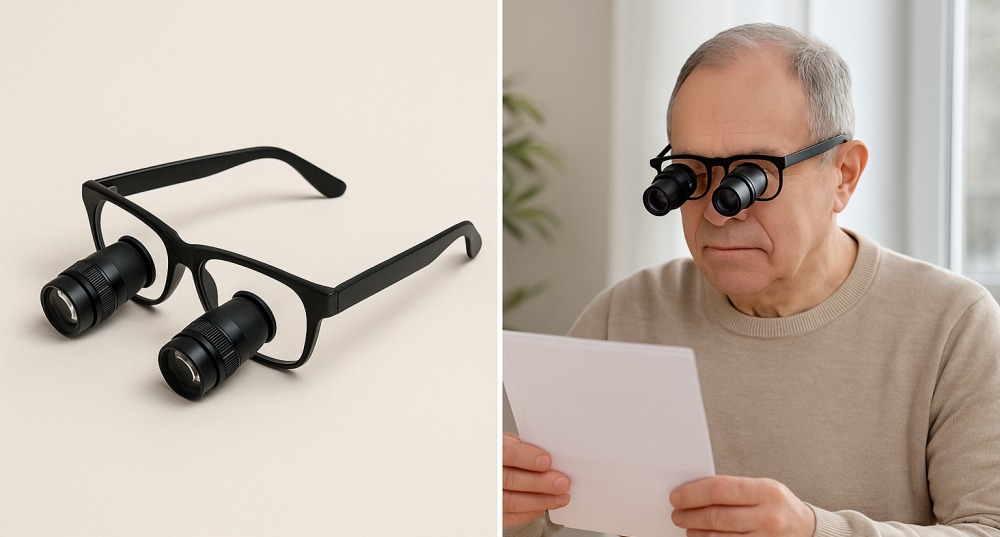 Telescopic glasses shown both as a standalone tool and in practical use for distance and detailed tasks.
Think of telescopic systems as tiny binoculars built into a pair of glasses. Some are fixed-focus, some are adjustable, and some are mounted on your glasses only when you need them.
These tools can be life-changing, but they do come with a learning curve. The first time you use one, it feels like looking through a keyhole — but once you understand how to align things, they open up many tasks that were previously uncomfortable or impossible.
Key Features
- Helps with distance clarity — TV, signs, presentations
- Optional near-focus attachments for reading or hobbies
- Hands-free use when mounted on your glasses
- Allows a more relaxed posture compared to strong reading glasses
Things to Keep in Mind
- Training is essential. These aren’t “put them on and go” devices.
- The field of view is small. That’s normal for this type of magnification.
- Works best for specific tasks, not continuous wear.
- Often requires a low vision evaluation to match your needs.
Where They Shine
Watching TV at a comfortable distance, spotting signs, looking at a PowerPoint screen, or working on detailed crafts where you need more room between you and your hands.
📱 Portable Electronic Magnifiers: Digital Flexibility You Can Carry Anywhere
Portable digital magnifiers are a big step forward from traditional lenses. They use a camera to enlarge whatever is in front of you and display it on a small screen. If optical magnifiers sometimes feel limited by lighting or small print, digital magnifiers can give you more control and more clarity.
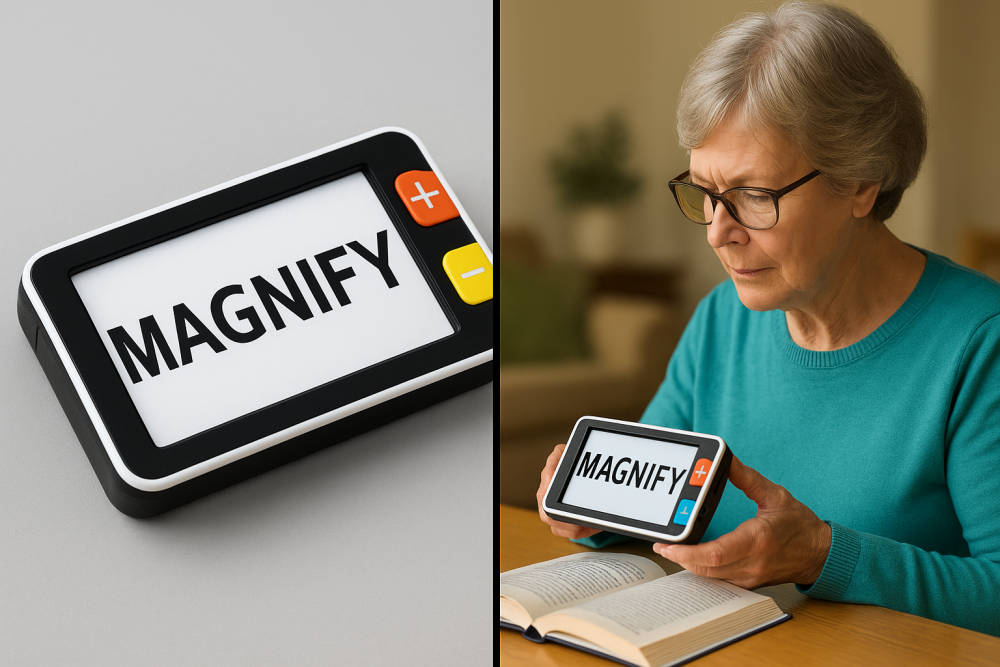 A portable digital magnifier shown as a standalone device and in everyday use for reading small print with adjustable magnification and contrast.
Most of them offer buttons for magnification, contrast, brightness, freezing an image, or even taking a snapshot you can look at more closely.
These devices are some of my favorites because they’re practical. They work in grocery stores, restaurants, doctor’s offices, waiting rooms, and at home. If you want one tool that handles a wide range of everyday tasks, a digital handheld is hard to beat.
What Makes Them So Useful
- Adjustable magnification, usually 2× to 30×
- Multiple contrast modes to make text easier to read
- Freeze-frame to capture a moment and bring it closer
- Portable and rechargeable — helpful for errands and travel
When Portable Digital Magnifiers Work Best
They shine when lighting is poor, when text is tiny, or when you need something more flexible than a standard lens. I’ve found them especially helpful for hard-to-read product labels, menus, ingredients, and receipts.
Considerations
- They require two hands, so using them while juggling other items can be tricky.
- They are more expensive than simple optical lenses.
- The best experience comes from finding the right size screen for your needs.
🖥️ Desktop Video Magnifiers (CCTVs): The Gold Standard for Extended Reading
If you’ve ever used a desktop video magnifier — sometimes called a CCTV — you already know how different it feels from anything else. These devices use a camera above a movable tray to project your reading material onto a large screen. The result is clear, comfortable magnification with lots of room to work.
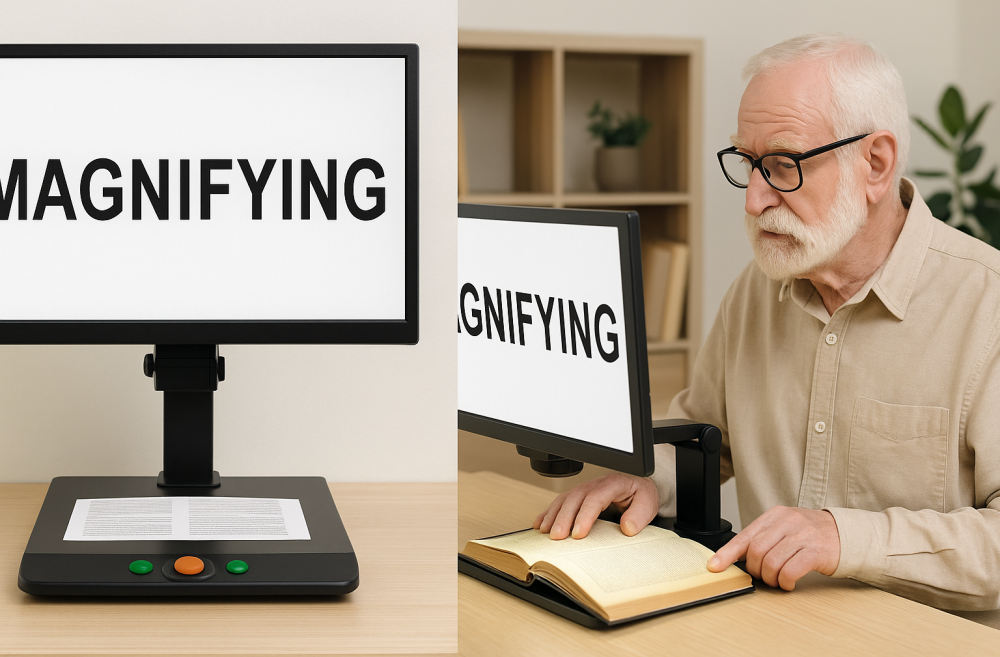 A desktop video magnifier (CCTV) shown both as a standalone device and in real-life use for comfortable, extended reading.
People often describe their first experience with a CCTV as “suddenly being able to read again.” The combination of magnification, contrast, and a large viewing area makes a tremendous difference, especially for longer tasks.
This is the tool you choose when you want to sit comfortably and read without constantly adjusting a handheld device.
Why CCTVs Stand Out
- Huge field of view compared to handhelds
- Smooth, steady reading using the sliding X-Y tray
- Magnification up to 50× or more
- Ideal for writing, not just reading
- Comfortable posture that protects your neck and eyes
When They’re Most Helpful
- Reading books, magazines, and long documents
- Writing checks or signing forms
- Organizing mail
- Looking at photos, craft projects, or detailed paperwork
Things to Consider
- They take up space — more like a small computer setup
- They are one of the pricier magnification tools
- They’re not portable, but they’re unmatched for comfort and clarity
💻 Screen Magnification: The Tools Built Into Your Phone, Tablet, and Computer
Many people don’t realize they already have powerful magnification tools without buying any extra equipment. If you have a smartphone, tablet, or computer, you have access to built-in magnification and contrast features that can transform how you use your devices.
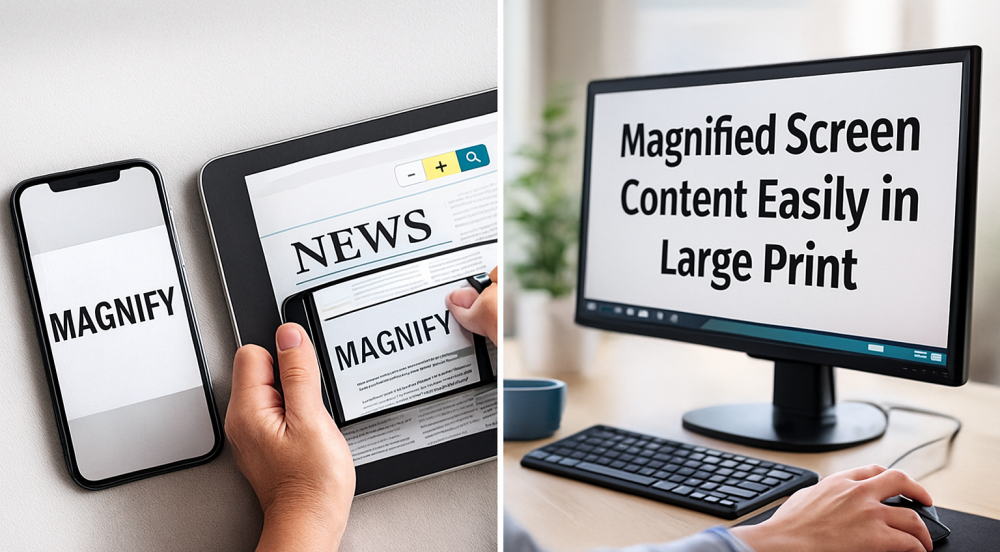 Screen magnification tools shown magnifying content on a smartphone, tablet, and computer for easier reading across digital devices.
Learning these features can be incredibly empowering — especially for staying connected, managing bills, communicating with family, or accessing the internet.
Examples of Built-In Tools
- iPhone/iPad: Magnifier, Zoom, smart invert, larger text options
- Android: Magnification gestures, high-contrast text, screen enhancements
- Windows: Magnifier, high-contrast mode, larger cursors
- Mac: Zoom, display filters, enlarged cursor
Why Screen Magnification Matters
- It’s available immediately — no cost
- It works for emails, websites, and apps
- You can customize contrast, brightness, and cursor visibility
- It supports both reading and navigating
Considerations
- Learning the gestures or shortcuts takes practice
- High magnification can make orientation tricky until you get used to it
- Combining magnification with text-to-speech gives the best results for long reading sessions
🎯 Choosing the Right Magnifier: Matching Tools to Tasks
People often ask, “What’s the best magnifier?”
The real question is: “What do you need it to help you do?”
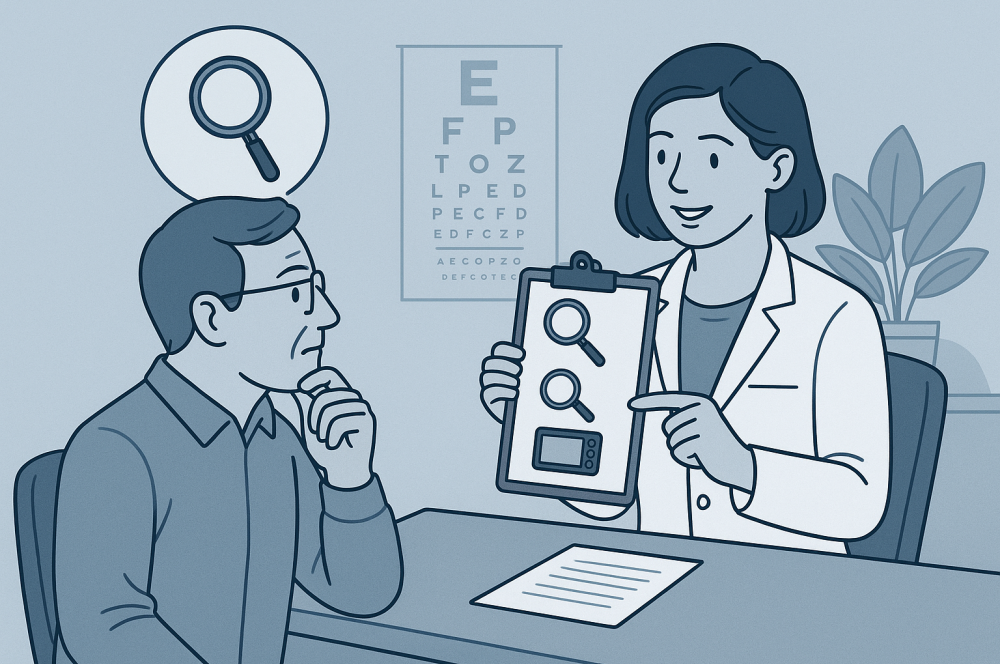 Choosing the right magnifier often starts with understanding your daily tasks and exploring options with a low-vision specialist.
Magnifiers aren’t one-size-fits-all. The right choice depends on your daily routines, your environment, your vision needs, and how much time you spend reading versus doing on-the-go tasks.
Here’s a simple way to think about it:
If the task is quick…
Optical magnifiers usually work.
If the lighting is poor or the print is tiny…
Portable digital magnifiers shine.
If you want hands-free reading…
High-power reading glasses are worth exploring.
If you need to see something at a distance…
Telescopic systems may help.
If you read for long stretches…
A desktop CCTV is hard to beat.
If you struggle with screens…
Built-in accessibility tools can make your phone or computer much easier to use.
The best tool is the one that makes the task easier without adding frustration.
🧩 Using Magnifiers Effectively: Little Things That Make a Big Difference
Magnifiers aren’t magic wands — they work best when paired with good technique. Over time, I’ve learned that small adjustments can turn a difficult task into a comfortable one.
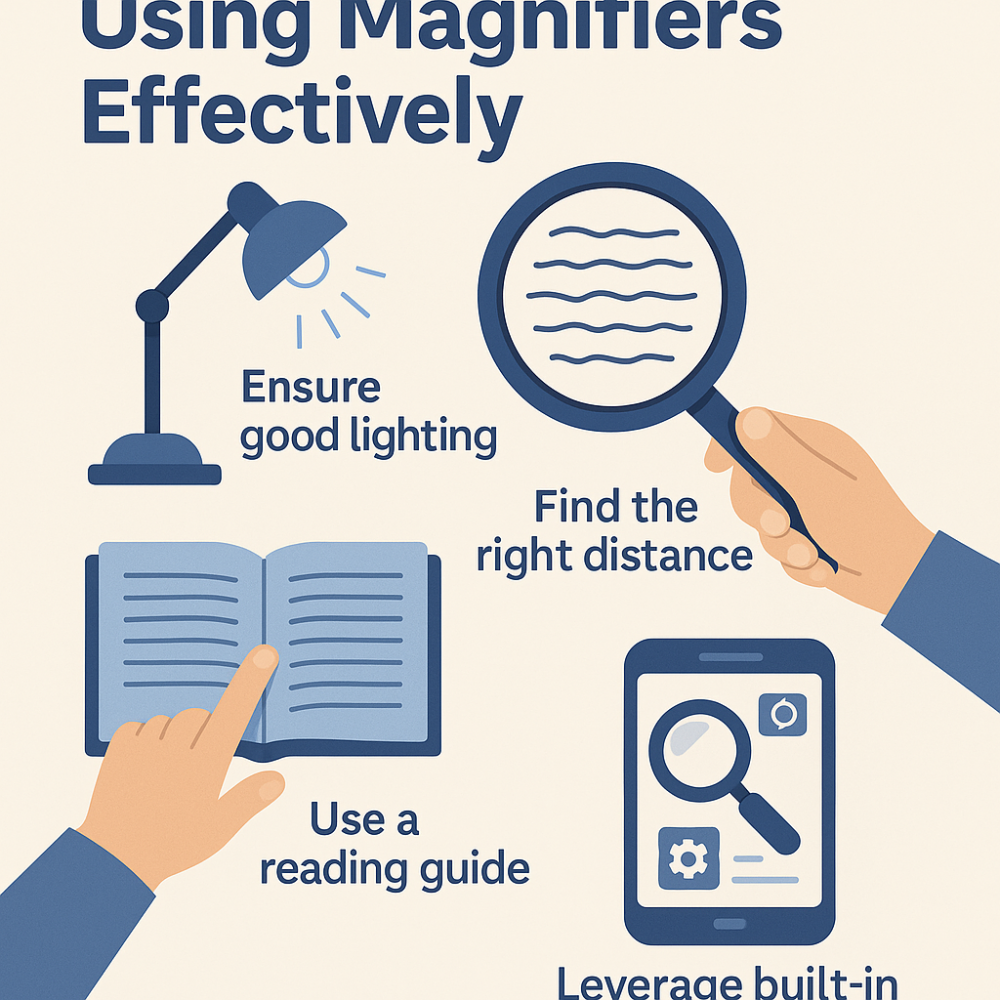 Simple visual tips for using magnifiers more effectively — from lighting and focal distance to reading guides and digital tools.
Helpful Tips
- Move the object, not the magnifier (especially with handheld optical devices).
- Bring the magnifier closer to your eye, then move the page to find clarity.
- Adjust lighting first — it often changes everything.
- Use a line guide, even a simple finger, to keep your place.
- Practice new devices for a few days before deciding whether they work for you.
- Experiment with contrast modes on digital magnifiers or screens.
These small strategies often matter more than magnification power.
🩺 When to See a Low Vision Specialist
If you’re unsure which tools you need — or you’ve tried several and feel frustrated — a low vision specialist can save you time and money. They help match your vision to the right tools and teach you how to use them effectively.
A low vision visit typically includes:
- A functional vision assessment
- Trying different magnifiers
- Testing lighting and contrast needs
- Identifying specific tools for specific tasks
- Hands-on instruction
It’s one of the most helpful steps you can take, especially if you’ve been guessing your way through magnifiers.
📚 Helpful Resources
- American Foundation for the Blind — device guides and tutorials
- American Academy of Ophthalmology — overview of low vision aids
- RNIB — practical low-vision strategies
- VisionAware — videos, demonstrations, and learning modules
🌟 Why This Works for Me
 A simple visual reminder that the “best” magnifier is the one that truly works for your own comfort, tasks, and daily routines.
Over time, I’ve learned to think of magnification as a toolbox, not a single device. Each tool has a purpose: the quick optical magnifier in the kitchen drawer, the digital magnifier that travels with me, the desktop CCTV for reading at home, and the screen tools built right into my phone.
Once I stopped expecting one device to handle everything, magnification became simpler — and so much less frustrating. I hope this guide helps you find that same sense of clarity and confidence as you explore what works best for your own daily life.